The `muted` Attribute Disappearing from HTML Video in Vue.js
My company had a new project that I independently selected the technology stack and developed. The project requirement was to build an English product showcase website. Considering that the project was relatively simple and the development cycle was not long, we ultimately decided to use the Nuxt framework.
The development process went fairly smoothly, but midway through I encountered a bug that took up quite a bit of my time. After searching online for a long while, I could find only a very small amount of relevant content, all of which was in issues in Vue's GitHub repository. In the end, I still couldn't find the cause of the problem. Of course, this may not actually be a bug; perhaps the framework was simply designed this way.
Here is my approach to solving the problem. If any experts have other insights, please feel free to point them out so we can discuss them.
Symptoms
The homepage of the product showcase website has a full-screen video element, and the video is set to autoplay by default. In the latest versions of most modern browsers, to achieve this, the video element needs to include the autoplay attribute, as well as a muted attribute to enable playback with sound muted by default.
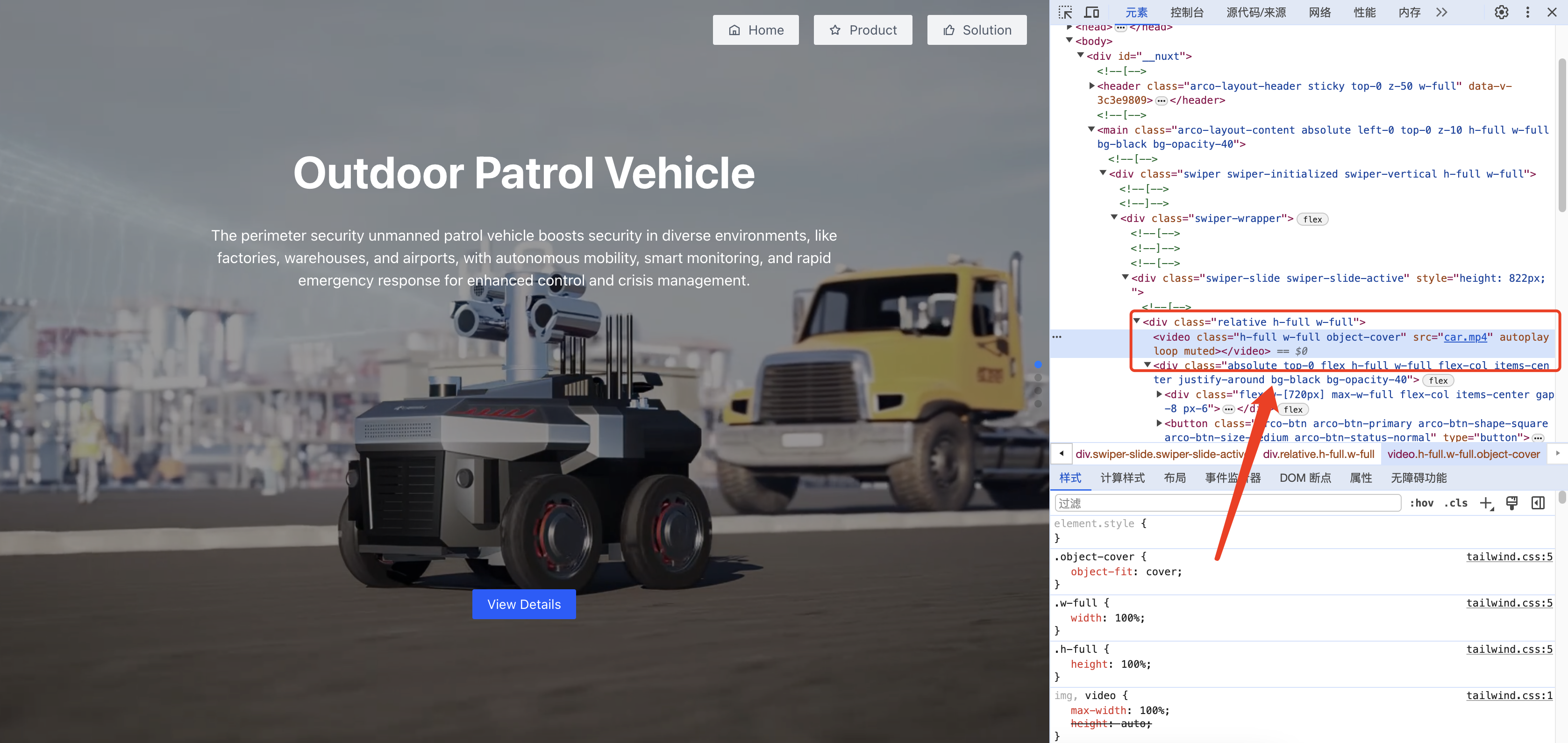
As you can see, the video autoplays normally when the page is loaded for the first time, and the DOM structure at this point is identical to the code written in the Vue template.
However, after switching routes to the product page and then back to the homepage, a problem occurs: the muted attribute in the original video element mysteriously disappears, causing autoplay to stop working as well.

Problem Analysis
At first, I thought it was a problem with Nuxt route switching. I tested both Nuxt's navigateTo() method and Vue Router's $router.push() method, and the problem occurred with both.
<div class="flex items-center justify-center">
  <img
    class="logo h-9 w-72 cursor-pointer"
    src="/logo.png"
    @click="$router.push('/')"
  />
</div>
The second test involved setting keepalive: true for the page to enable route caching, but this still did not solve the problem. It also introduced other bugs, which I did not investigate further, so I will set those aside for now.
definePageMeta({
  layout: 'full-screen',
  keepalive: true,
})
For the third test, I used v-bind to dynamically bind the muted attribute to the video element. Whether I used a value defined through ref or directly bound :muted="true", neither approach solved the problem.
<video
  src="car.mp4"
  class="w-full h-full object-cover"
  autoplay
  loop
></video>
I began to wonder whether the problem was with Nuxt, so for the fourth test I used another pure Vue project. The result was that the muted attribute was already missing on the initial load. Strangely, however, the video could still autoplay, and this bizarre problem gradually became increasingly confusing.
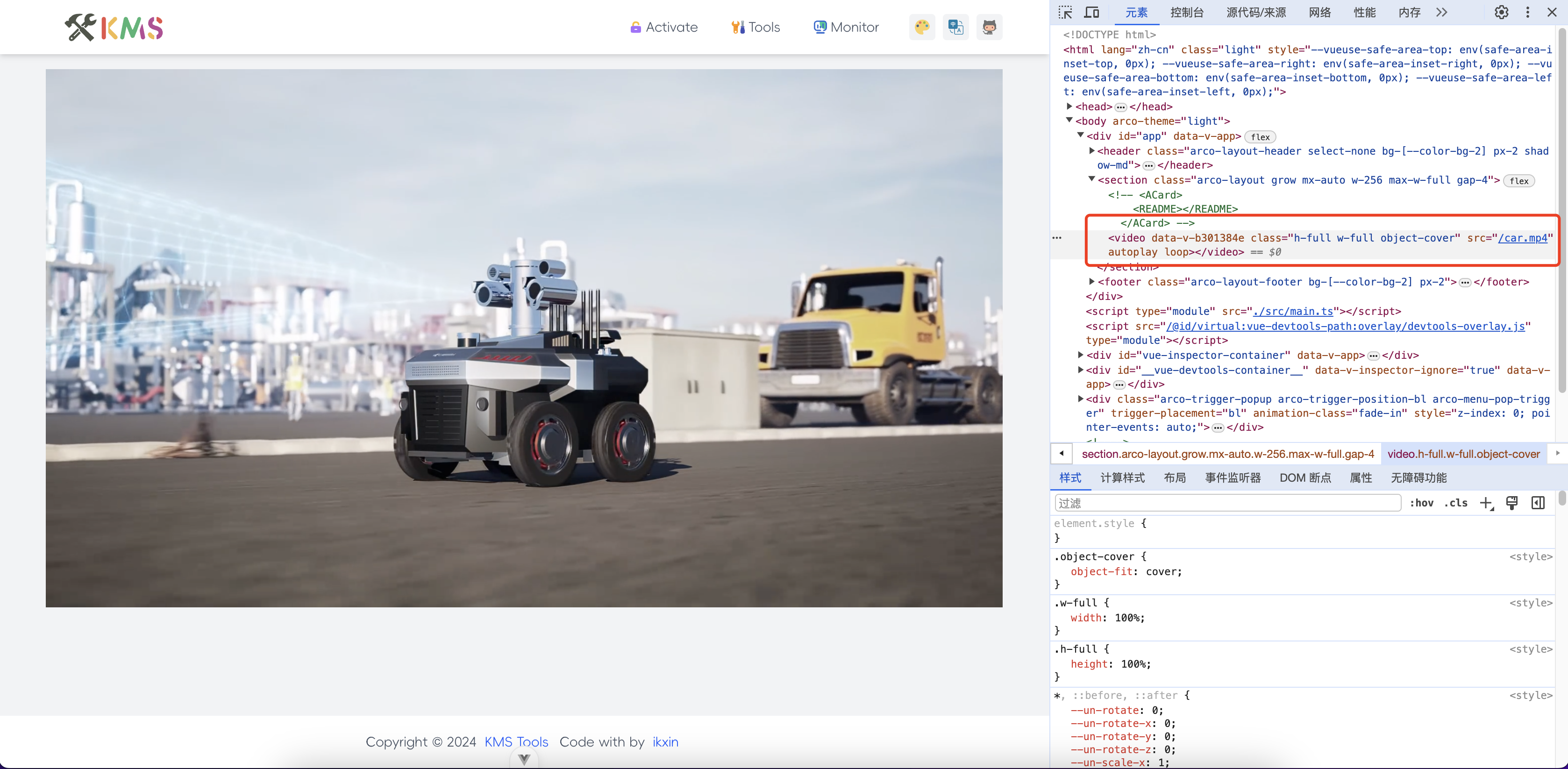
Eventually, I found an unresolved issue in Vue's GitHub repository describing the same problem I encountered.

This issue was created on October 12, 2022, and has still not been closed to this day. It is worth mentioning that one reply below pointed out that “Vue should not actually break native browser functionality,” but this may indeed be a bug in Vue.js.
Solution
In the end, I stopped dwelling on the cause of the problem and began preparing a solution. Since dynamically binding the attribute could not solve the problem, I could only use the most primitive approach: operating on the DOM to trigger the element's playback event.
onMounted(() => {
  const videos = document.getElementsByTagName('video')
  Array.from(videos).forEach((video) => {
    video.play()
  })
})
After Vue finishes mounting, I use document.getElementsByTagName('video') to get all the video elements on the homepage and then trigger their playback events in sequence. This allows the video to continue autoplaying when switching to another route and then back to the homepage.
Although this can solve the problem relatively simply, I feel that it is not the ultimate solution. The core of the problem should still lie in the framework. I hope someone with more expertise can investigate it in depth and offer me some guidance.
Comments
(0)No comments yet. Start the conversation.