How to Check the VPS Virtualization Architecture on Linux, Supporting KVM and OpenVZ
There are many VPS virtualization technologies available on the market, such as OpenVZ, Xen, VMware vSphere, Hyper-V, KVM, and Xen's HVM and PV. In Xen, PV is paravirtualization, while HVM is full virtualization. PV can only be used for systems with a Linux kernel, whereas HVM can virtualize all common operating systems (Linux + Windows).
In theory, HVM is slightly less efficient than PV. In addition, HVM requires CPU virtualization instruction support, while PV does not. OpenVZ is an operating system-level full virtualization solution similar to Linux-VServer. Currently, there are relatively many VPS providers based on Xen and OpenVZ.
The following explains how to check the virtualization architecture of a VPS.
Run the following command over SSH to install virt-what:
CentOS system
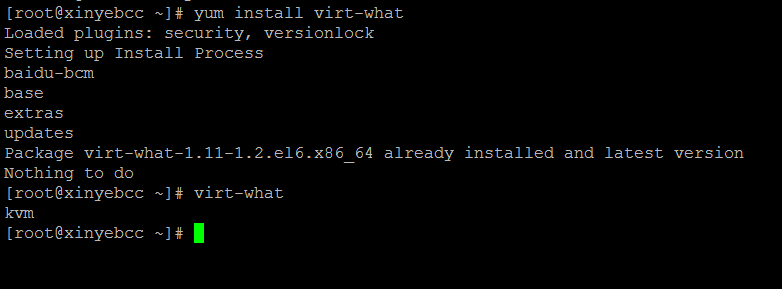
yum install virt-whatDebian/Ubuntu system
apt-get install virt-whatAfter the installation is complete, use the following command:
virt-whatThis will display the virtualization architecture of the Linux VPS.
The following shows my server's architecture, which is KVM.
Comments
(0)No comments yet. Start the conversation.