Using SVG as the Website Header Logo Image in Flarum
4,740 0
A user reported that PNG images are severely distorted on iPhone, so they wanted to use SVG instead of PNG. SVG works on the same principle as vector graphics and can maintain excellent clarity on any device. After looking at the source code of Flarum Beta 8, it seems that SVG is supported. However, how can SVG be used on Beta 7? Read on.
Tutorial
Upload logo.svg to /assets on the server, and change settings - logo_path in the database to logo.svg.
Then modify the forum.blade.php and admin.blade.php files. In the CV version, they are located in \vendor\flarum\core\views\frontend\; in older or other versions, they are located in \vendor\flarum\core\views\.
Change
HTML HTML
<img src="{{ $logo }}" alt="{{ $title }}" class="Header-logo">
to
HTML HTML
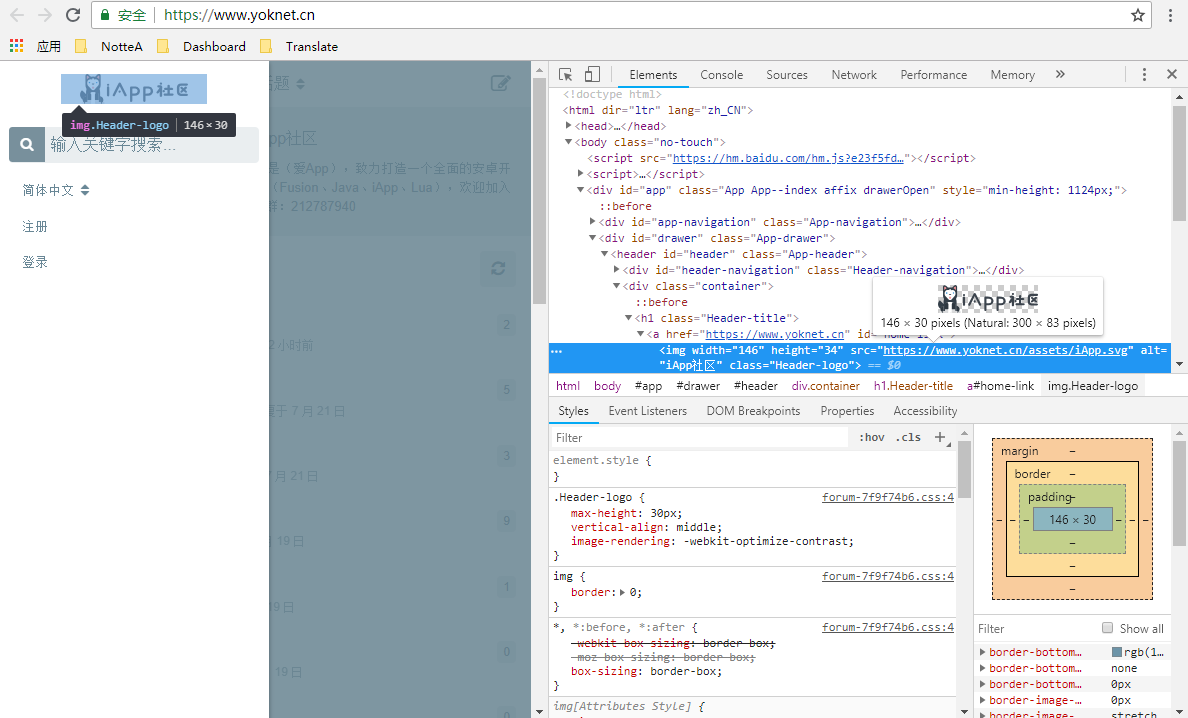
<img width="146" height="34" src="{{ $logo }}" alt="{{ $title }}" class="Header-logo">
The width and height can be modified as needed.
Comments
(0)No comments yet. Start the conversation.