Alibaba Cloud is a leading cloud computing service provider in China, but its products are not exactly cost-effective in ordinary times. The high prices have deterred many college students and developers who are not particularly well-off.
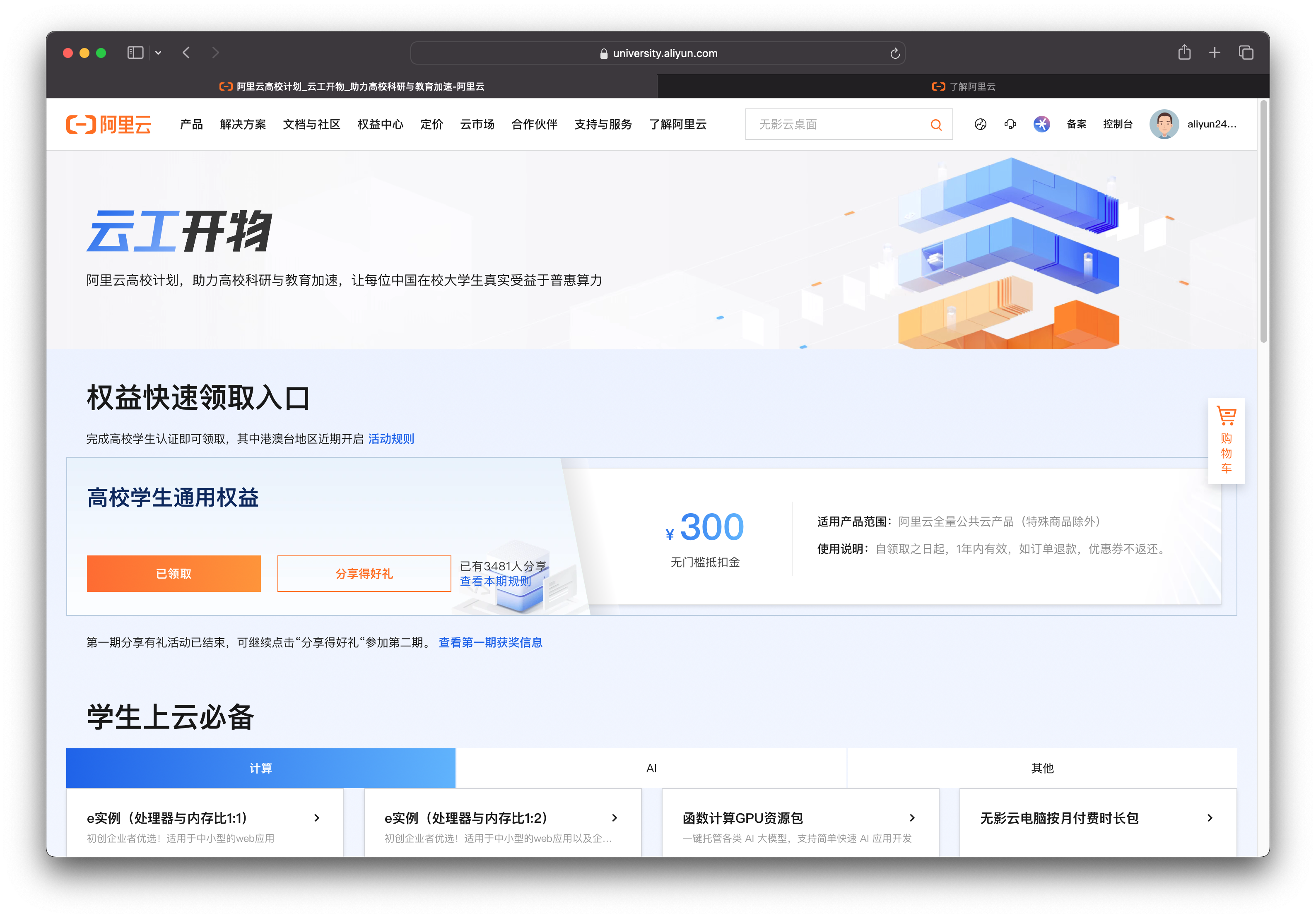
However, some time ago, Alibaba Cloud launched a support program called the “Alibaba Cloud College Program.” All accounts that pass student verification can directly receive a 300-yuan voucher with no minimum spending requirement, which can be used to offset costs such as purchases, upgrades, and renewals.
According to my tests, whether you are pursuing a junior college, undergraduate, or graduate degree, and whether you are a full-time or part-time student, you can successfully pass verification as long as you are registered as a current student on the CHSI website.
If you graduated a long time ago or simply cannot obtain student verification, you can contact me through the WeChat public account “一纸忘忧.” I can provide verified accounts for a fee. The account supports changing the bound mobile phone number, ensuring that ownership of the account can be protected.
The following is the main content of this article: how to use this 300-yuan voucher with no minimum spending requirement to purchase a five-year Alibaba Cloud ESC server.
Claim the Voucher
Promotion URL: https://t.aliyun.com/U/7uRdEp
Random red packet: https://t.aliyun.com/U/X6r6Fw
- Complete real-name verification
- Complete student verification after completing personal real-name verification
- Claim the 300-yuan voucher with no minimum spending requirement
- Claim a random red packet worth 20–100 yuan
If you do not have student verification, you can contact me through the WeChat public account “一纸忘忧.” I can provide verified accounts for a fee.
Select a Server
Open the ECS purchase page: https://t.aliyun.com/U/htA8pV
Select the region: North China 6 (Ulanqab)
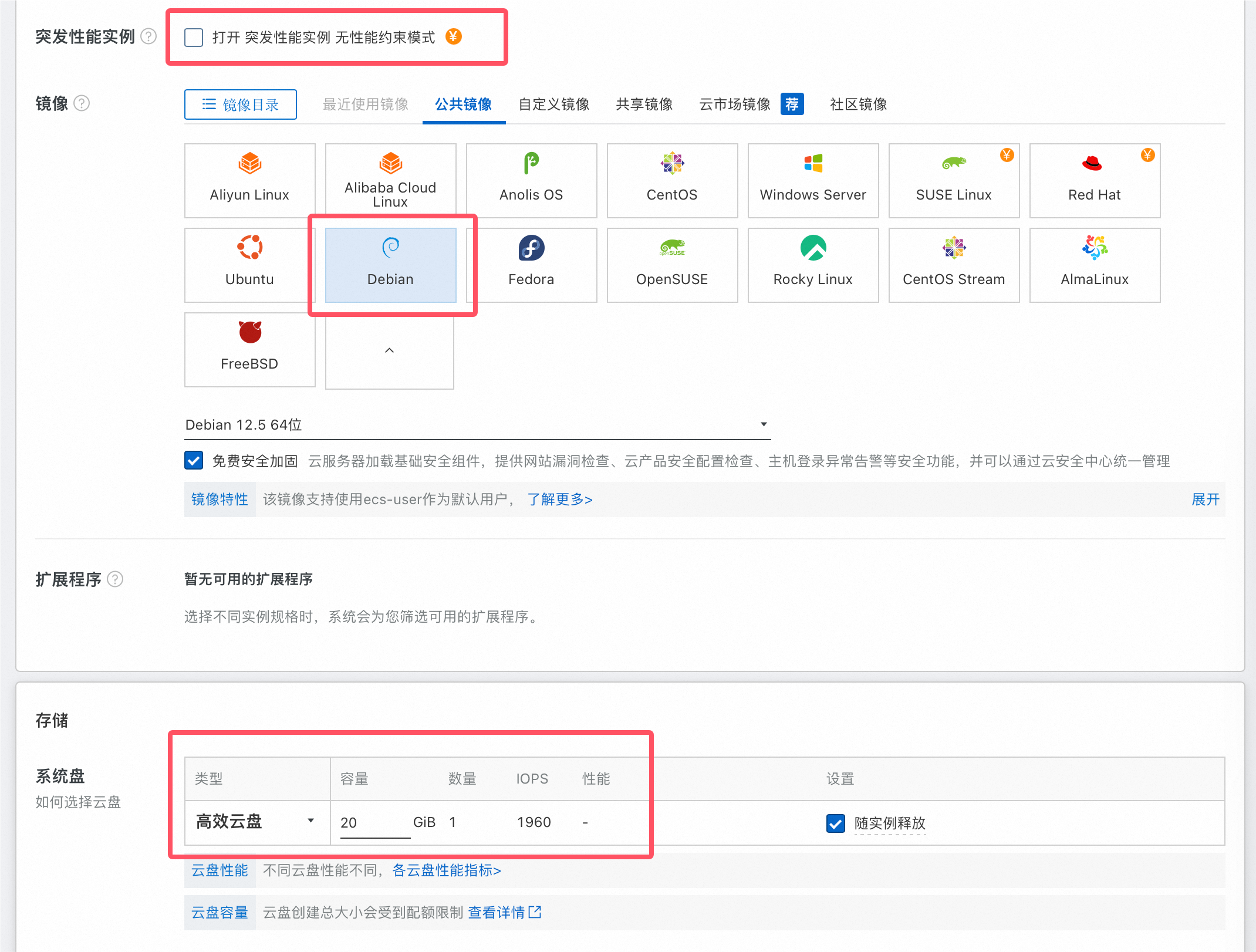
Instance specification: Burstable Performance Instance t6 (ecs.t6-c4m1.large)

Burstable Performance Instances limit CPU usage frequency. If you need to configure the environment and perform similar operations at the beginning, it is recommended to first enable unlimited performance mode. This may incur certain charges, which you can disable later.
Then choose an operating system you are familiar with. I chose Debian 12 here. For the system disk type, select “Enhanced Cloud Disk” and adjust the capacity to 20 GB.
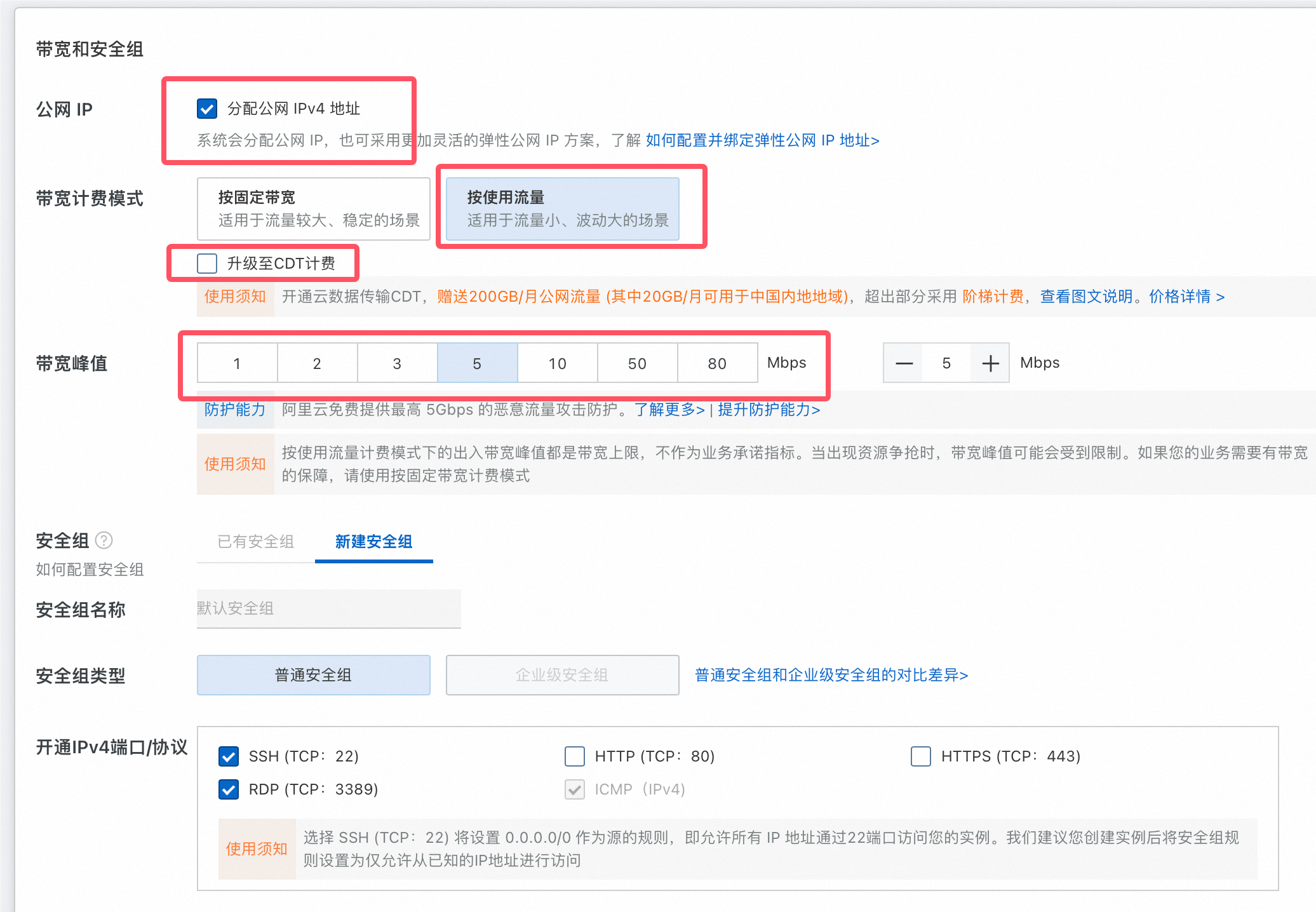
Here is the important part: under bandwidth and security group settings, select the option to assign a public IPv4 address, choose billing by traffic usage, and then check the option to upgrade to CDT billing.
After enabling Cloud Data Transfer (CDT) billing, you receive 200 GB of public network traffic per month for server traffic billing. However, only 20 GB of this traffic can be used in regions in mainland China.
Please note that traffic beyond the free allowance is priced at 0.8 yuan/GB. If your server needs to be accessible externally, be sure to set a bandwidth limit to avoid a surge in traffic charges caused by malicious attacks.
If you do not need much bandwidth, I recommend setting the bandwidth relatively low here, such as 5 Mbps. Generally, this will prevent excessive traffic costs.
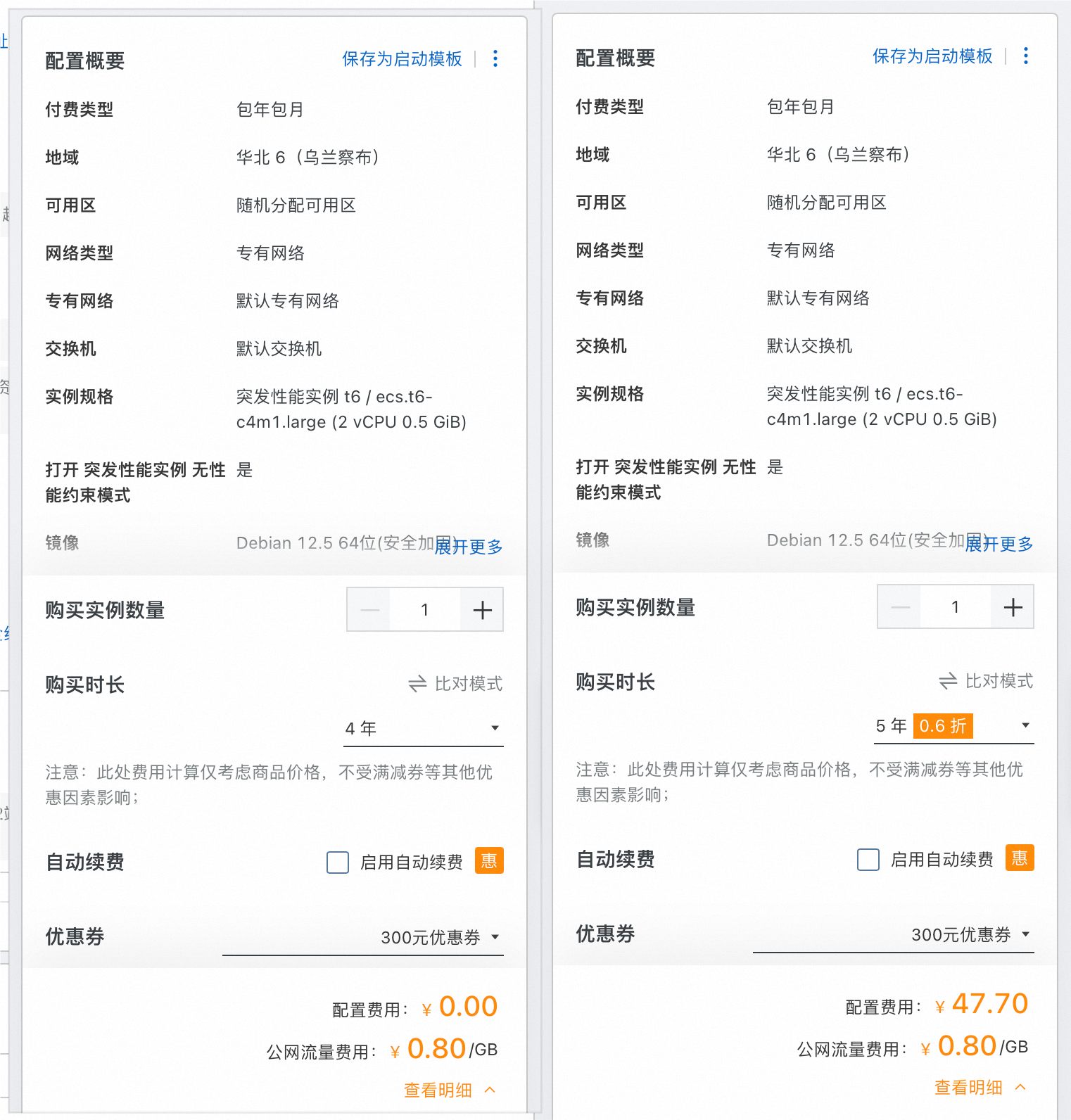
Choose the Subscription Term
Finally, you can select the subscription term you need on the right. You can see that the cost for four years can be fully paid with the voucher, while choosing five years requires paying only a little over 40 yuan extra. This price is exceptionally good value.
You can make your choice according to your needs. If you have any other questions, you can also leave a comment below and we can discuss them together. For emphasis, if you do not have student verification, you can contact me through the WeChat public account “一纸忘忧.” I can provide verified accounts for a fee. (Don’t ask why I only said it once; I already mentioned it twice above.)