Last month, a frontend expert joined our company and established some technical standards for our team. One of them concerned the standards for writing Commit Messages when submitting code to Git. At first, I thought it was unnecessary, but after looking at the Commit records of many large projects, I realized that this standard is essentially an industry norm.
First, let's take a look at the Commit Messages in my CodeStudy project:

Now let's look at the Commit Messages of the Vue framework, created by the renowned Evan You:

Indeed, a well-standardized Commit Message can really make a strong first impression, allowing people to quickly understand the content of the Commit and the functional modules involved. Next, let's discuss the benefits that standardized Commit Messages can bring.
Benefits of Standardization
- Makes it easier for programmers to trace the commit history and understand what happened.
- Once
Commit Messageconventions are enforced, it means that we will carefully make each commit. We can no longer put all kinds of changes into a singlegit commit, making the history of code changes much clearer. - Only formatted
Commit Messagescan be used to automatically generate aChange log.
Git Commit Conventions
<type>(<scope>): <subject>
<body>
<footer>
| Name | Purpose |
|---|---|
| type | Specifies the category of the Git Commit; only the identifiers in the table below are allowed |
| scope | Specifies the scope affected by the Commit, such as the data layer, control layer, or view layer |
| subject | A brief description of the purpose of the Commit, generally no more than 50 characters |
| body | Optional; can span multiple lines; provides a detailed description, with a blank line between it and the header |
| footer | Optional; generally used for breaking changes or closing issues, with a blank line between it and the body |
| Type | Description |
|---|---|
| sync | Synchronize bugs from the mainline or a branch |
| merge | Merge code |
| revert | Roll back to the previous version |
| chore | Changes to the build process or auxiliary tools |
| test | Add software tests |
| perf | Performance-related optimizations, such as improving performance or user experience |
| refactor | Refactoring; code changes that are neither new features nor bug fixes |
| style | Formatting changes that do not affect code execution |
| docs | Writing or updating documentation |
| fix / to | Fix bugs, whether discovered by QA or by the developers themselves |
| feat | New features |
Plugin Recommendation
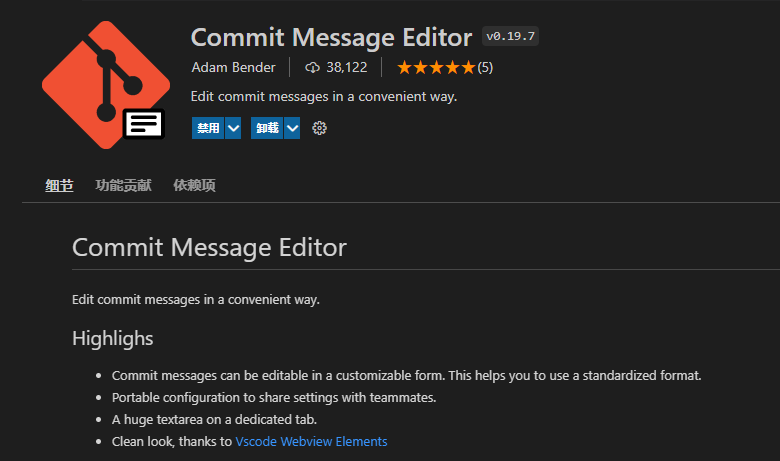
The Commit Message Editor plugin is highly recommended for VS Code. It can quickly generate Git Commit Messages.