A few days ago, someone left me a message saying that the power of the open-source community is far greater than that of one person, and I completely agree. When Toby left Flarum, I thought this great open-source program was heading toward extinction, but the result was completely different from what I expected. After Toby's departure, Flarum entered an unprecedented period of rapid development, and today, the latest Flarum 0.1.0-beta.12 has been released.
New Release
As we continue refining the core software while gradually improving our stable release, this version includes several new features and fixes.
You may notice that this release took longer than usual because the team extended our development timeline by a month to account for the December holidays. This gave us extra time to try some alternative planned techniques for the release process, although some fine-tuning is still needed. Thank you for your patience and cooperation.
What's New
We focused this release on changes that make Flarum a better experience, both for the excellent developers in the community and for administrators of Flarum sites.
- Flarum now fully supports PHP 7.4!
- Permalinks (slugs) now support basic UTF-8 transliteration, so you no longer have to worry about empty post URLs.
- Mail settings now support Mailgun's regional settings and will check the completeness of the configuration.
- Restrictions can now be avoided by granting permissions to user groups (administrators are no longer subject to any restrictions by default).
- Avatar uploads in IE11/Edge are back.
- Users can now flag (report) their own posts, and we have made other improvements to the flagging (reporting) feature.
- Custom paths. When installing a new site, you can now run the forum in a subdirectory of the site simply by configuring the
site.phpfile. - When a translation key is missing from any language (such as English), the translation from the default language will now be used automatically. You will no longer see strings like this:
core.flarum.this.looks.weird. - TextFormatter has been updated to version 2.3.6, adding Markdown spoiler support. Don't worry, we still support your BBCode extensions.
- Extenders have been added for middleware and error handling, making extension development easier.
- The Zend library has been deprecated, and we have added its replacement: Laminas.
There is much more that hasn't been listed! If you're interested, feel free to check out our changelog and releases on GitHub at any time.
Developers
Due to popular demand, we have included information about breaking changes for extensions in this announcement. Beta 12 should not break any extensions, but Beta 13 does have some major changes planned.
- PHP 7.1 will be deprecated in Beta 13.
- Beta 13 will completely remove the Zend library; please update to the Laminas packages instead.
- The
Flarum\Util\Strclass has been marked as deprecated and will be removed in Beta 13. - The
Flarum\Event\ConfigureMiddlewareevent has also been marked as deprecated in Beta 12 and will be removed in Beta 13.
Other changes are mentioned in the Beta 12 upgrade guide below. Developers are advised to check the changelogs of relevant packages when issues are discovered. You can review the Beta 12 upgrade guide to ensure that your extensions are up to date. If you have any questions or encounter obstacles during the upgrade, open a new discussion under the Dev tag or find us in #extend on Discord.
Also read the recommendations for the stable version of flarum/core.
Upgrading
Before running the upgrade, be sure to create backups of the public and assets directories, composer.json, and the database!
- Make sure you are using version 0.1.0-beta.11 in the Administration Console
Or do so by runningphp flarum info(use the previous release notes to upgrade from an earlier version). - Disable all third-party extensions.
- Run the following commands:
composer update --prefer-dist --no-dev -a --with-all-dependencies
php flarum migrate
php flarum cache:clear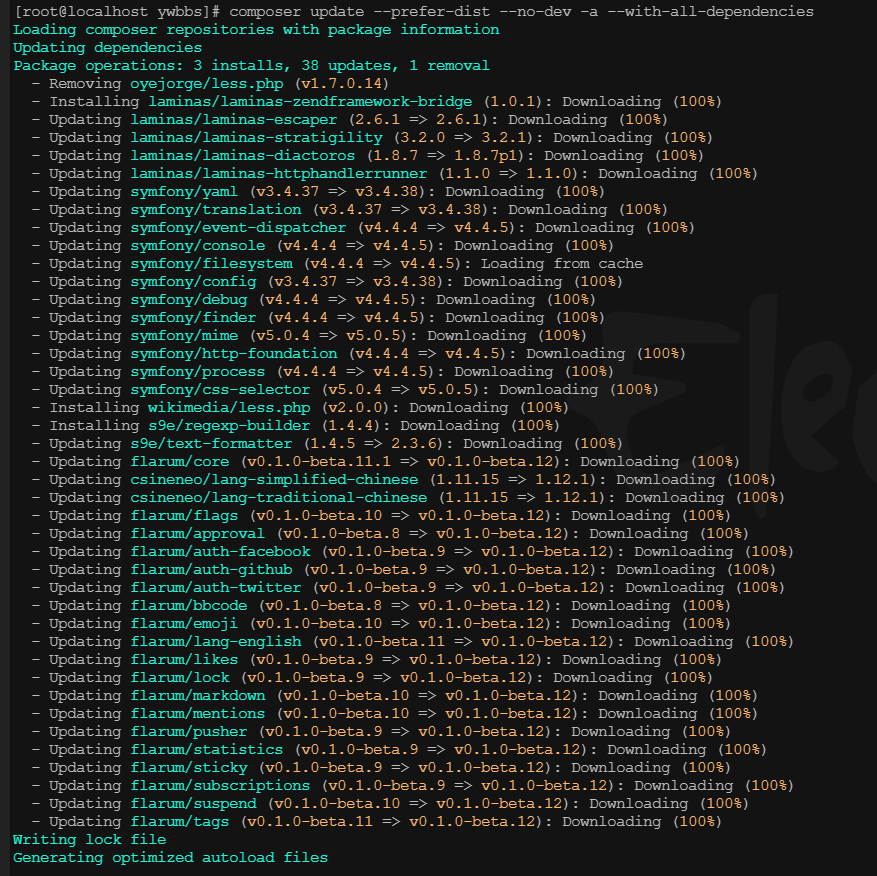
- Use your newly upgraded Flarum site.