
Preface
While working on a website, I opened NetEase Cloud Music to listen to music and suddenly wanted to migrate the music player from NetEase Cloud Music to a WordPress website. So I began searching extensively. After several hours, I finally found a style I liked and turned it into a WordPress plugin. I called it MyPlayer, and now I’m sharing it with everyone.
Plugin Screenshots
Backend settings:

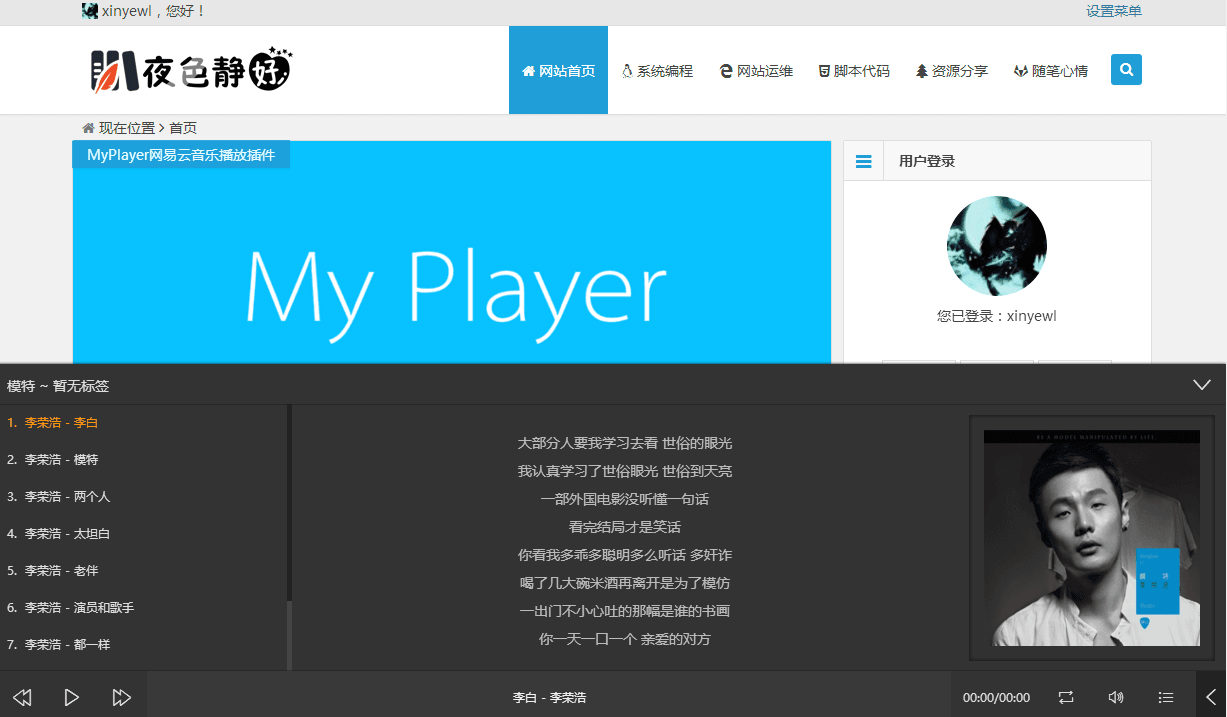
Frontend demo:
Usage Tutorial
NetEase Cloud Music
Obtain songs through a playlist or album:
- Playlist: http://music.163.com/#/playlist?id=741361926 (the number is the playlist ID)
- Album: http://music.163.com/#/album?id=2342012 (the number is the album ID)
Local Music
Enter the following code in the code box. Be sure to replace the content:
{
    "album": "专辑标题",
    "list": {
        "title": "歌名",
        "artist": "歌手名字",
        "cover": "歌曲图片链接",
        "mp3": "歌曲文件链接",
        "lrc": "歌词文件链接"
    },
    "tags": "标签"
},
Important notes:
- Image links can use the JPG format
- Music links can use the MP3 format
- Lyric files can use the LRC format
Plugin Features
- Integrated music search functionality
- Supports random playback and dragging the progress bar
- Supports site-wide playback on Pjax or Ajax sites
- Supports HTTPS encrypted transmission across the entire site
- Supports customizing whether to hide/show the player on mobile devices
- Supports customizing local songs