Add a Background to the Flarum Welcome Banner Homepage
Main Text
First of all, this is yet another rather useless Flarum customization tutorial. All this article can do is add a background to the Banner across the entire site. If someone says it would be better if it could change with the category, sorry, Toby has already planned to completely remove the welcome banner in Beta 8. By then, this thing will no longer exist, so this article will probably become invalid soon and is only intended for version B7.
Process
Add a background to the welcome banner (if using a large image, try to choose one with a width of no less than 1920px, except when using an image that is allowed to repeat).
Administration — Appearance — Edit Custom Styles, add
.Hero {
    background: url(图片链接) no-repeat top fixed;
    text-align: center;
    color: #FFFFFF;
    height: 180px;
    width: 100%;
}
If the image is allowed to repeat, change no-repeat to repeat-x or repeat-y (horizontal or vertical repetition). If it needs to repeat both horizontally and vertically, use repeat.
Method for adding a background to the homepage (if a welcome banner background has been added, the banner section of this homepage background will be covered by the welcome banner background).
Administration — Appearance — Edit Custom Styles, add
.IndexPage {
    background: url(图片链接) no-repeat center fixed;
    background-size: contain;
}
Demonstration Image
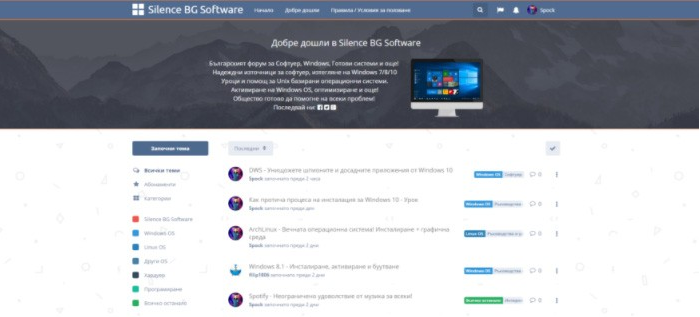
Comments
(0)No comments yet. Start the conversation.