This tutorial is completely unnecessary; I just think it looks better after changing the color. After all, everyone has different tastes, and some people may like the original color, but I’ll record it anyway—just in case someone else, like me, wants to change it to a different color. Let’s start with an image.

Process
First, find the class name of the search box by inspecting the element with F12.
Get the .Search-input:before class name and open
/vendor/flarum/core/less/lib/Search.less
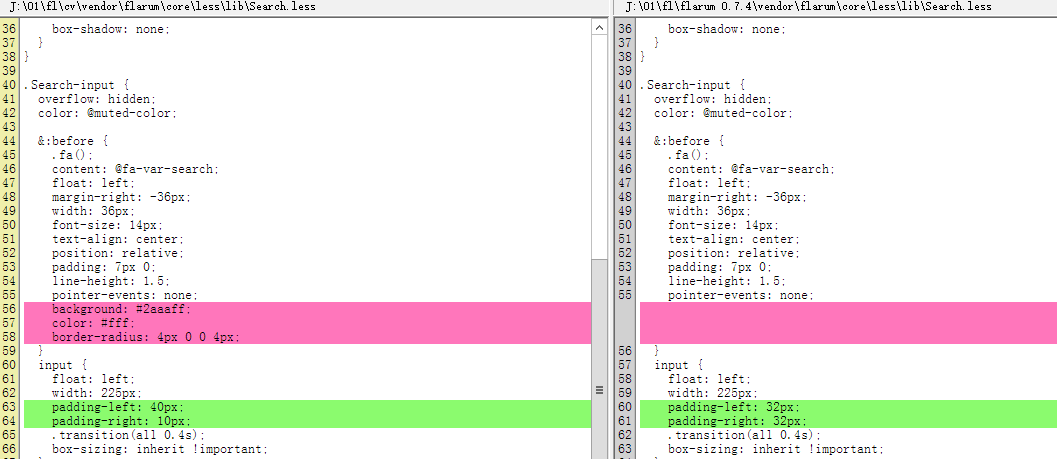
Modify it according to the image below. The left side shows the modified version, and the right side shows the original.

Change it to the following CSS:
background: #2aaaff;
color: #fff;
border-radius: 4px 0 0 4px;
padding-left: 40px;
padding-right: 10px;
Make Background match the website theme color.
background: #2aaaff;
改成
background: @primary-color;